 DYNAMIC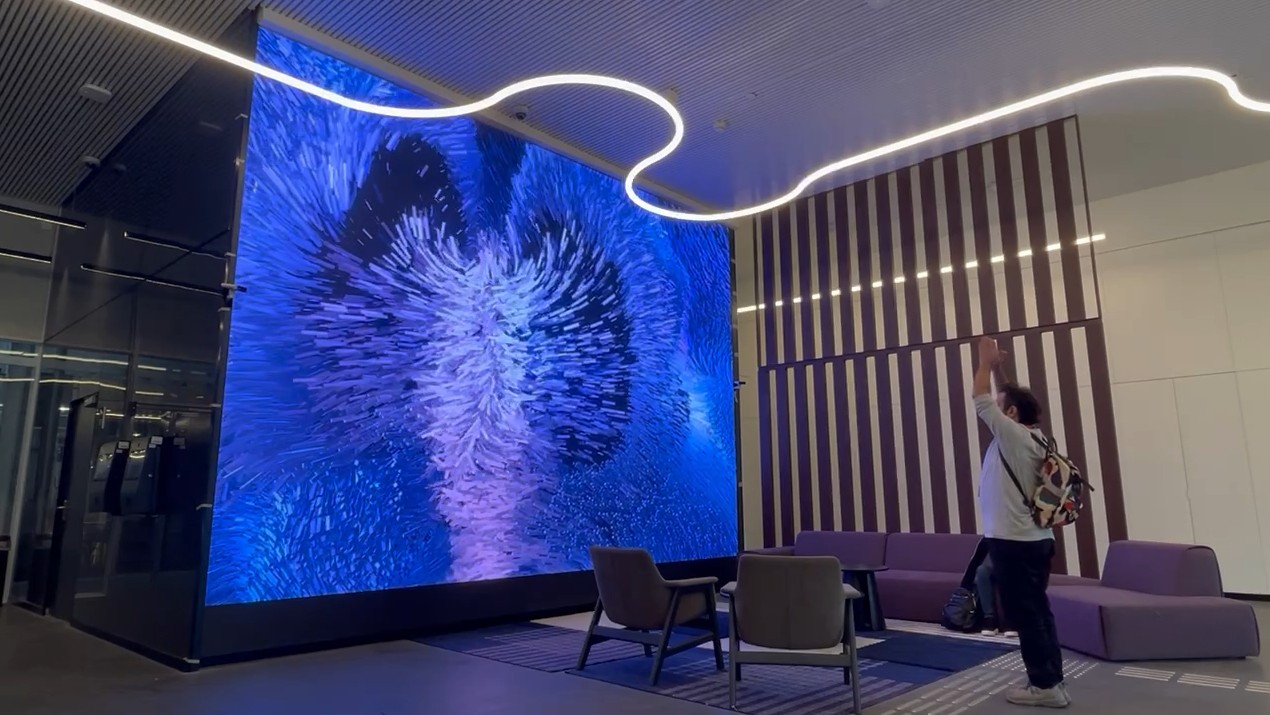
A trade show booth has to work for four days. A visitor center has to work every day, for school groups, delegations, investors and people who were brought along by someone else. That changes almost every decision about interactive exhibits, from the story to the screws.
This guide is for the people who commission a visitor center or a brand experience space: what to decide first, where projects usually go wrong, and what to ask anyone who offers to build it.
Start with one story, not a list of exhibits
The most common brief we see is a list: a touch table, a video wall, a quiz, a timeline. Each item is reasonable. Together they make a room that feels like a trade show with no booth staff.
Start instead with the one thing a visitor should believe when they walk out. A water utility might want people to leave knowing where their tap water comes from. A tech company might want visitors to understand what its product does in the real world. Every exhibit then earns its place by moving the visitor one step closer to that idea. Some exhibits will turn out to be unnecessary, and that is the point.
Plan for groups, not one person at a time
Most visitor centers are visited in groups. Twenty people arrive together, a guide speaks for a few minutes, and then everyone spreads out at once. An exhibit that one person can use while nineteen wait does not work in that room.
- Design for watchers. A large LED wall or projection that reacts to the whole group gives everyone something to look at, even if only a few people are driving it.
- Split long stories into stations so a group can spread across the room instead of queueing at one screen.
- Give the guide a remote or a "presenter mode" so they can trigger a moment for the whole group and then hand control back.
At Mobileye's headquarters in Jerusalem we built a lobby wall that reacts to everyone who walks past. Nobody needs instructions. A group can stand in front of it together and watch it answer their movement.
Languages, ages and accessibility
A visitor center in Israel will host Hebrew, English and often Arabic speakers on the same day, plus children and adults in the same group. Decide early how language is chosen (a button, a badge, the guide's tablet) and keep text short enough that three versions fit. Interfaces that work with gesture, movement or a large physical button reduce how much has to be read at all.
Accessibility belongs in the first sketch, not the last review: reachable heights for wheelchair users, captions on every video, sound that is not the only carrier of information, and nothing that flashes fast enough to be a problem for photosensitive visitors.
Build it to run every day
This is where visitor centers and trade shows part ways. A permanent installation has to start itself in the morning, recover by itself after a power cut and keep running when nobody technical is in the building.
- Commercial-grade displays and LED rated for long daily hours, not consumer TVs.
- Industrial computers with a watchdog that restarts the software if it ever hangs.
- Sensors over touch where possible. Depth cameras and motion sensors have no surface to wear out or get sticky.
- Remote access so most problems are fixed without a site visit.
- Spare parts on site for anything a visitor can physically hit.
We wrote more about this in interactive exhibits that survive daily use.
Plan content updates from day one
The opening content will not be the content in year three. New products launch, numbers change, a new CEO wants a different welcome. Ask who will update the exhibits and how. The answer can be a simple content panel for text and images, a scheduled visit from the studio, or both, but it should be decided before anything is built.
A realistic process
- Story and walk-through. One message, the visitor's route through the space, and the moments along it.
- Concept and design. What each exhibit does, what it looks like and how it fits the architecture.
- Prototype. The interaction tested with real people before the final build, which is where most surprises are found.
- Build and studio testing. Hardware, software and content run together for days in the studio before installation.
- Installation and calibration on site, plus training for the guides.
- Support. Monitoring, updates and a clear contact when something needs attention.
Our article on going from sketch to opening day covers why one team owning all of these steps saves time and avoids gaps between suppliers.
Questions to ask before you hire anyone
- Have you built permanent installations that are still running, and can we see one?
- Who builds the hardware, who writes the software, and who is on site at opening?
- What happens when something breaks on a Friday afternoon?
- How do we update content without calling you?
Planning a visitor center or a brand space? Tell us about it and we will walk you through what works for your audience and your building.